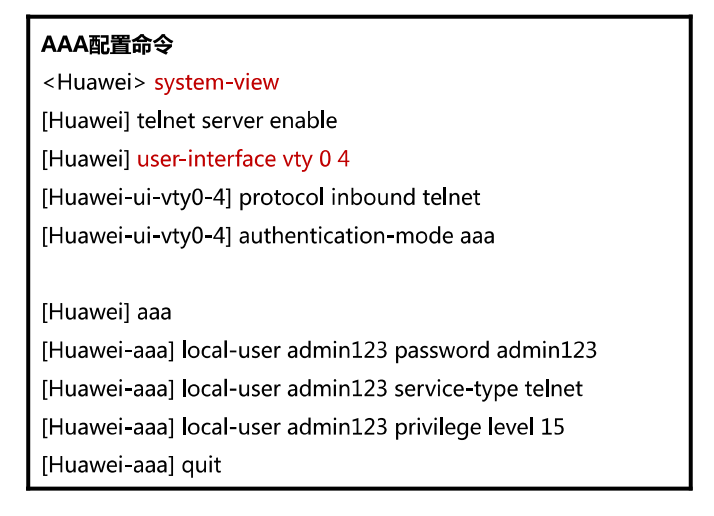
[Huawei-aaa]display local-user
  ----------------------------------------------------------------------------
  User-name                      State  AuthMask  AdminLevel
  ----------------------------------------------------------------------------
  admin                                A            H                 -
  admin1                              A            A                 -
  ----------------------------------------------------------------------------
  Total 2 user(s)
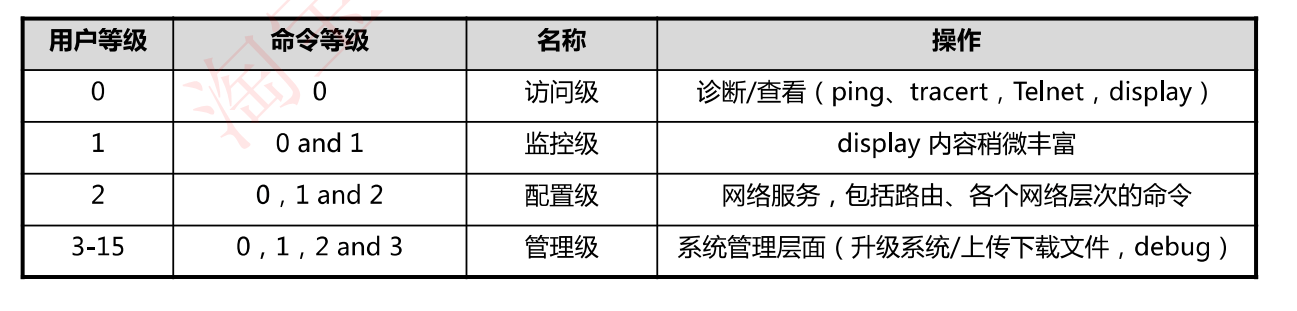
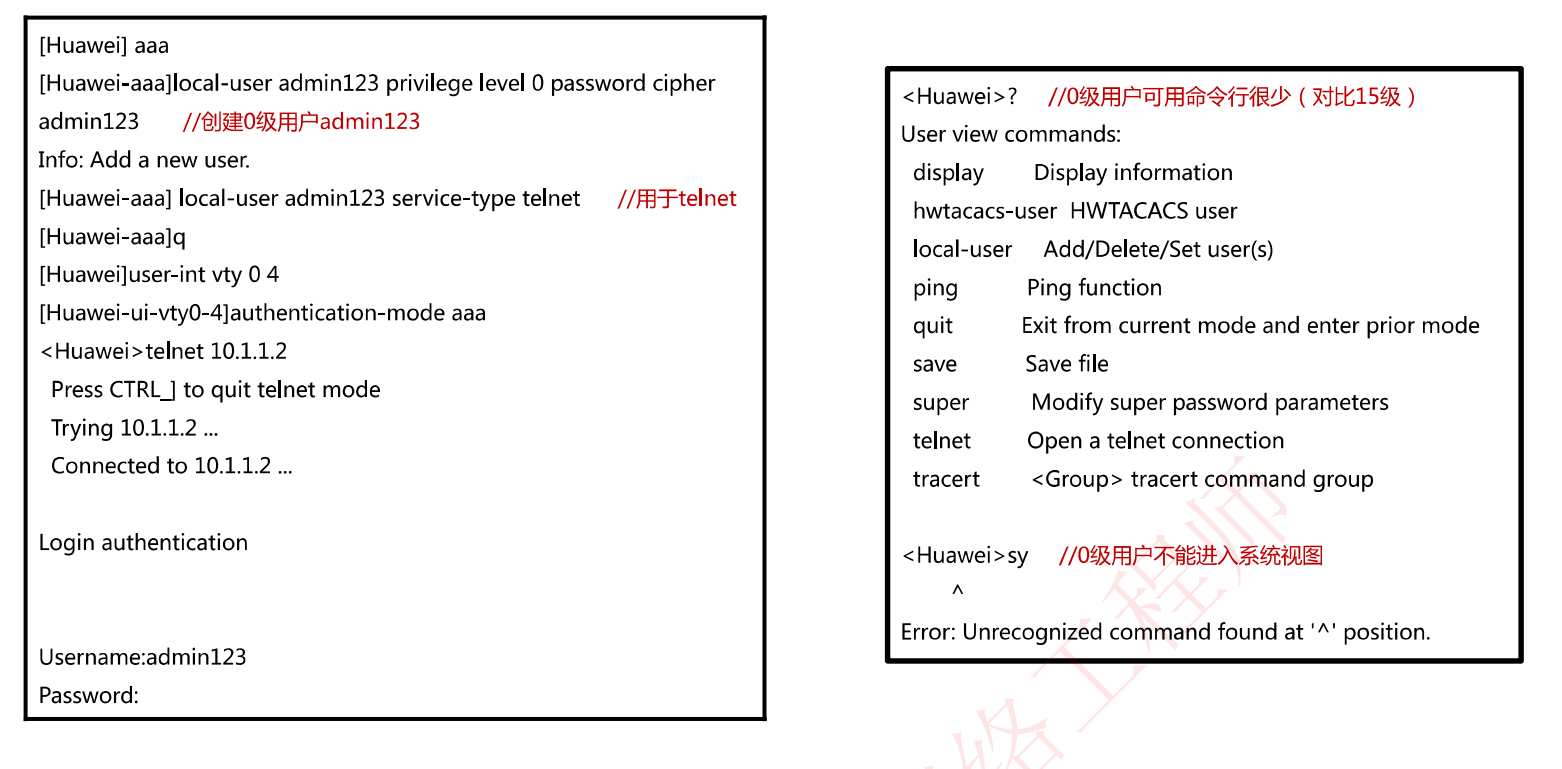
Username:admin1 Password: ----------------------------------------------------------------------------- User last login information: ----------------------------------------------------------------------------- Access Type: Serial IP-Address : -- Time : 2024-03-13 22:05:18-08:00 ----------------------------------------------------------------------------- <Huawei>? User view commands: display Display information hwtacacs-user HWTACACS user local-user Add/Delete/Set user(s) ping Ping function quit Exit from current mode and enter prior mode save Save file super Modify super password parameters telnet Open a telnet connection tracert <Group> tracert command group <Huawei>
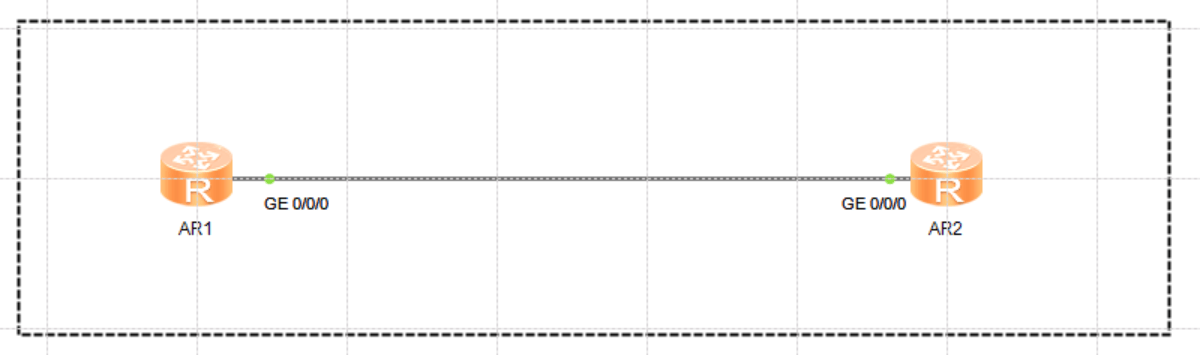
[Huawei]interface g0/0/0
[Huawei-GigabitEthernet0/0/0]ip address 10.0.0.2 24
Mar 13 2024 22:53:26-08:00 Huawei %%01IFNET/4/LINK_STATE(l)[1]:The line protocol
 IP on the interface GigabitEthernet0/0/0 has entered the UP state.
[Huawei-GigabitEthernet0/0/0]ping 10.0.0.1
  PING 10.0.0.1: 56  data bytes, press CTRL_C to break
    Reply from 10.0.0.1: bytes=56 Sequence=1 ttl=255 time=70 ms
    Reply from 10.0.0.1: bytes=56 Sequence=2 ttl=255 time=30 ms
    Reply from 10.0.0.1: bytes=56 Sequence=3 ttl=255 time=20 ms
    Reply from 10.0.0.1: bytes=56 Sequence=4 ttl=255 time=20 ms
    Reply from 10.0.0.1: bytes=56 Sequence=5 ttl=255 time=30 ms

  --- 10.0.0.1 ping statistics ---
    5 packet(s) transmitted
    5 packet(s) received
    0.00% packet loss
    round-trip min/avg/max = 20/34/70 ms

[Huawei-GigabitEthernet0/0/0]q
[Huawei]q


[Huawei]ssh client first-time enable   # ssh客户端路由器开启ssh客户端程序
[Huawei]stelnet ?
  STRING<1-255>  IP address or host name of a remote system
  -a             Set the source IP address of SSH packets
  server         Set Stelnet server
[Huawei]stelnet 10.0.0.1   # ssh请求连接远程路由器
Please input the username:admin-r  #  输入远程路由器用户名
Trying 10.0.0.1 ...
Press CTRL+K to abort
Connected to 10.0.0.1 ...
The server is not authenticated. Continue to access it? (y/n)[n]:y
Mar 13 2024 22:59:35-08:00 Huawei %%01SSH/4/CONTINUE_KEYEXCHANGE(l)[2]:The serve
r had not been authenticated in the process of exchanging keys. When deciding wh
ether to continue, the user chose Y.
[Huawei]
Save the server's public key? (y/n)[n]:y
The server's public key will be saved with the name 10.0.0.1. Please wait...

Mar 13 2024 22:59:39-08:00 Huawei %%01SSH/4/SAVE_PUBLICKEY(l)[3]:When deciding w
hether to save the server's public key 10.0.0.1, the user chose Y.
[Huawei]
Enter password:*****
<Huawei>  # 已登录到远程路由器