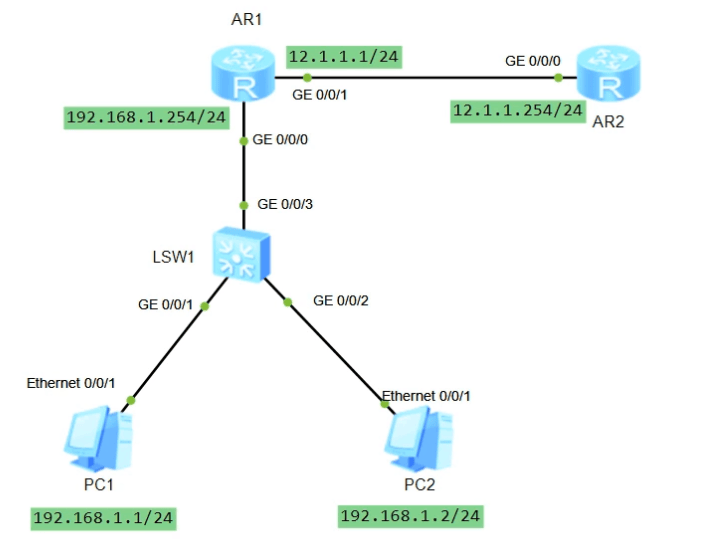
07 NAT配置 如下拓扑所示
用户IP地址分别为192.168.1.1和192.168.1.2,网关地址指向出口路由器R1的GE0/0/0接口,其IP地址为192.168.1.254
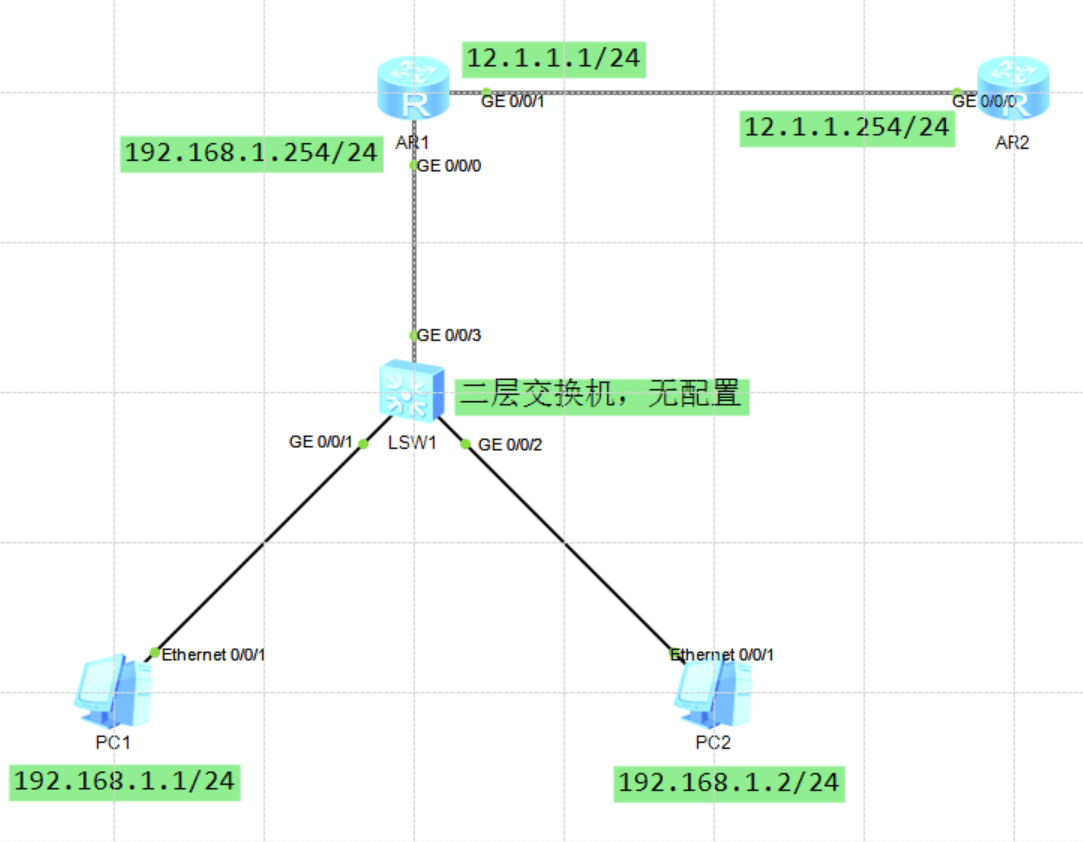
交换机为二层交换机,无任何配置
出口路由器R1的GE0/0/1接口连接互联网路由器R2
需要在出口路由器配置NAT地址转换
搭建拓扑
基本配置 略
验证出口路由器接口IP配置
1
2
3
4
5
6
7
8
9
10
11
12
13
14
15
16
[Huawei]dis ip int brief *down: administratively down ^down: standby (l): loopback (s): spoofing The number of interface that is UP in Physical is 3 The number of interface that is DOWN in Physical is 1 The number of interface that is UP in Protocol is 3 The number of interface that is DOWN in Protocol is 1 Interface IP Address/Mask Physical Protocol GigabitEthernet0/0/0 192.168.1.254/24 up up GigabitEthernet0/0/1 12.1.1.1/24 up up GigabitEthernet0/0/2 unassigned down down NULL0 unassigned up up(s) [Huawei]
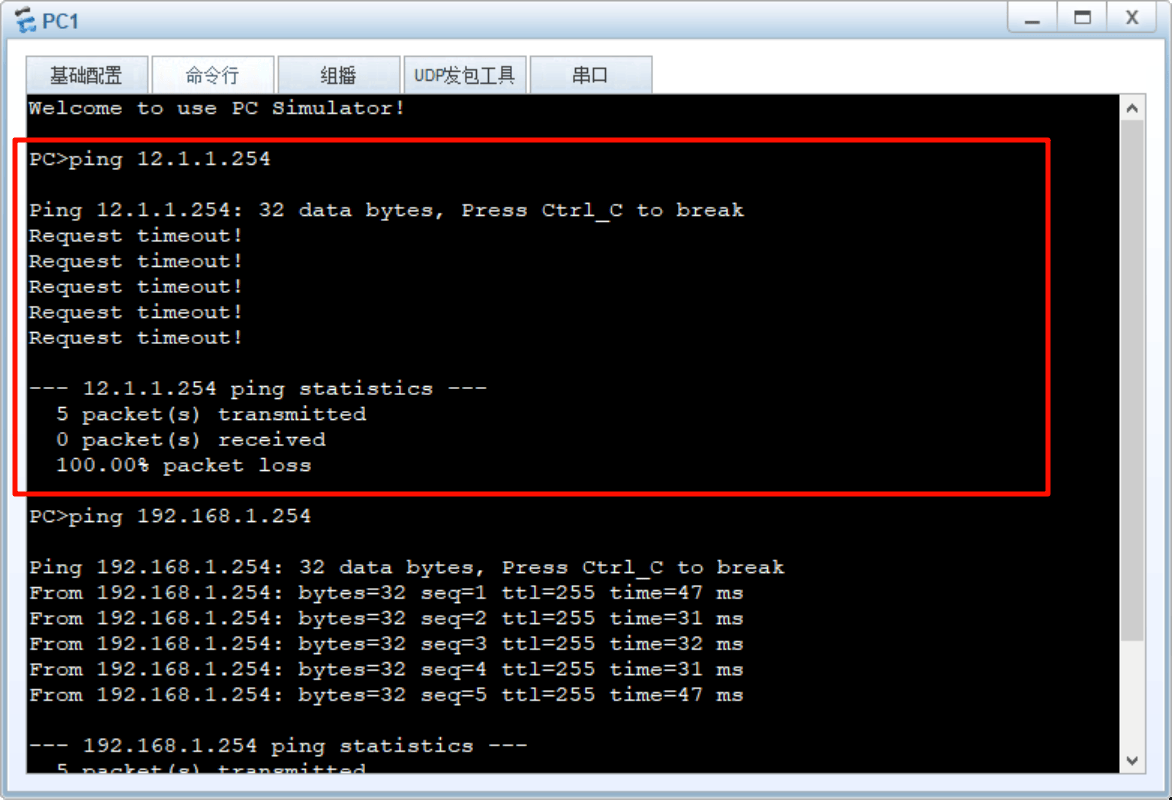
配置基础IP地址之后,使用PC去ping互联网路由器12.1.1.254发现不通
其数据包转发过程如下:
PC1判断目的地址12.1.1.254跟自己不在同一网段,甩给默认网关192.168.1.254
数据包到达R1出口路由器,R1发现目的地址是自己直连网段,于是转发出去
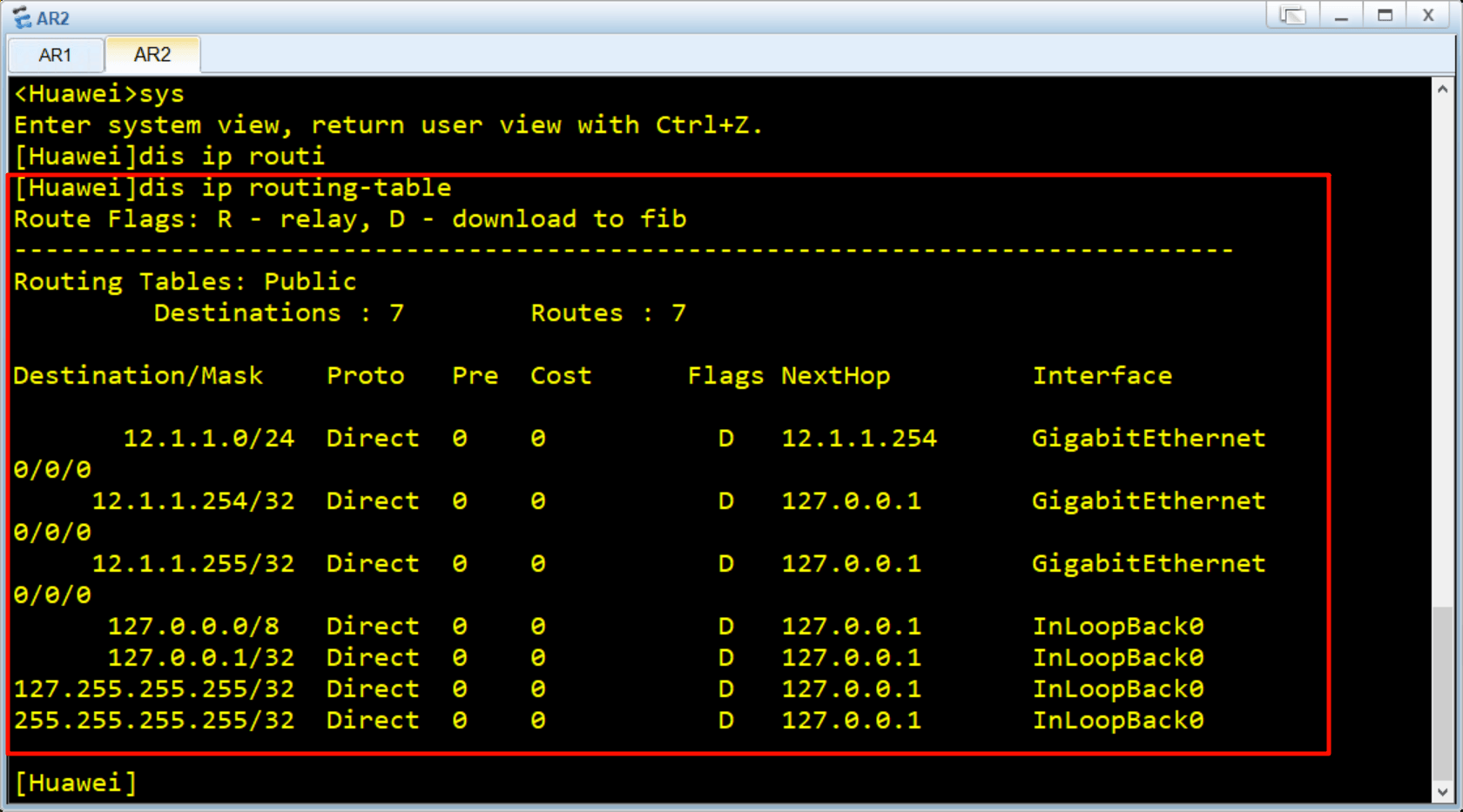
数据包到达R2互联网路由器,R2封装数据包需要填写的目的地址为192.168.1.1,但是R2上并没有到达该网段的路由,即没有回程路由,如下图所示
NAT地址转换 根据上面分析,我们需要将PC1的地址转换为一个公网地址即12.1.1.1/24网段的地址,那么数据包到达R2后,根据直连路由能够回包,回包到达R1时,R1查询自己NAT表将地址转回私网地址,再根据直连路由(目的地址为192.168.1.254/24网段的直连路由)转发回PC1
NAT共有5种类型配置,下面依次演示
静态NAT 方式一:接口视图下配置静态NAT 1 [Huawei-GigabitEthernet0/0 /0 ] nat static global { global-address) inside {(host-address }
global参数用于配置外部公有地址,inside参数用于配置内部私有地址。
方式二:系统视图下配置静态NAT 1 [Huawei] nat static global { global-address} inside {host-address }
配置命令相同,视图为系统视图,之后在具体的接口下开启静态NAT。
1 [Huawei-GigabitEthernet0/0 /0 ] nat static enable
在接口下使能nat static功能。
实际配置 下面我们使用方式一配置静态NAT策略:为PC1配置一条静态NAT,应用在出口路由器的出接口上
1
2
3
4
5
6
7
8
9
10
11
12
[Huawei-GigabitEthernet0/0/1]nat static global 12.1.1.1 inside 192.168.1.1 Error: The address conflicts with interface or ARP IP. [Huawei-GigabitEthernet0/0/1]nat static global 12.1.1.2 inside 192.168.1.1 [Huawei-GigabitEthernet0/0/1]dis this [V200R003C00] interface GigabitEthernet0/0/1 ip address 12.1.1.1 255.255.255.0 nat static global 12.1.1.2 inside 192.168.1.1 netmask 255.255.255.255 return [Huawei-GigabitEthernet0/0/1]
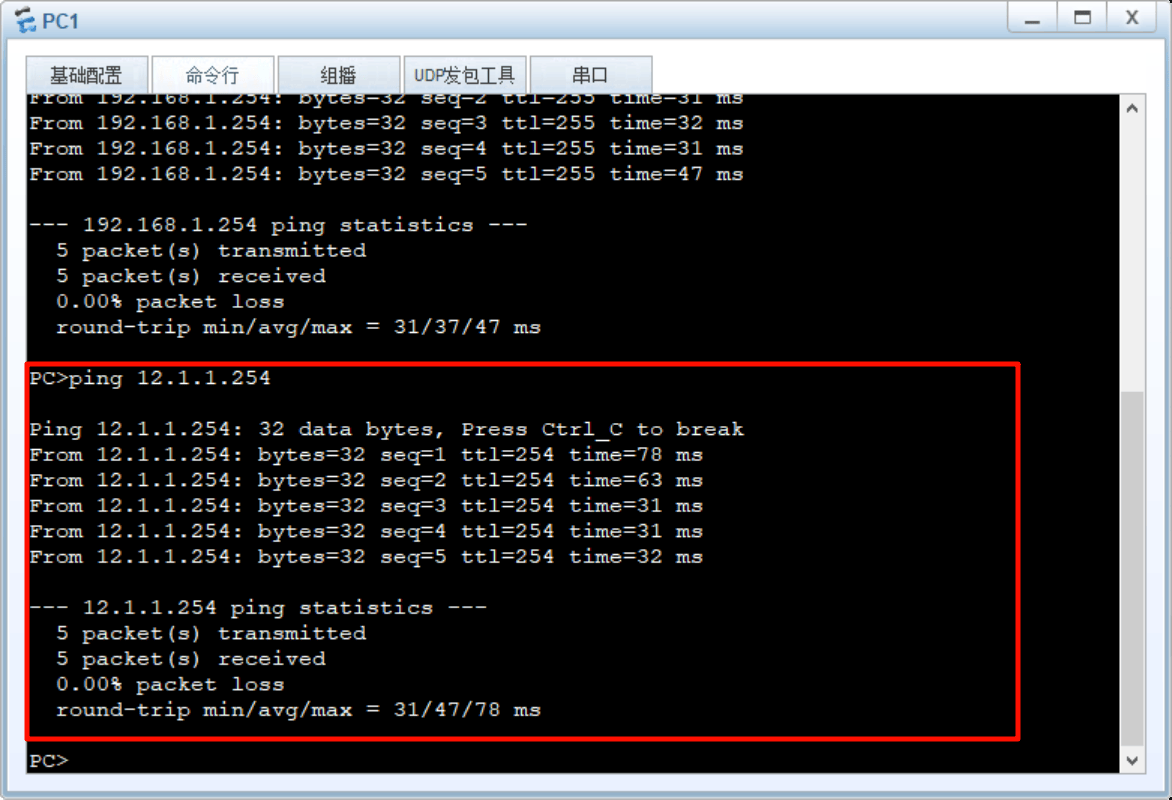
此时使用PC1去ping 12.1.1.254,可以ping通了
动态NAT 删除上述静态NAT
1
2
3
4
5
6
7
8
[Huawei-GigabitEthernet0/0/1]undo nat static global 12.1.1.2 inside 192.168.1.1 [Huawei-GigabitEthernet0/0/1]dis this [V200R003C00] interface GigabitEthernet0/0/1 ip address 12.1.1.1 255.255.255.0 return
配置NAT公网地址池 配置公有地址范围,其中group-index为地址池编号,start-address、end-address分别为地址池起始地址、结束地址.
1
2
[Huawei]nat add [Huawei]nat address-group 1 12.1.1.2 12.1.1.10
配置地址转换的ACL规则 配置基础ACL,匹配需要进行动态转换的源地址范围。
1
2
[Huawei]acl 2000 [Huawei-acl-basic-2000 ]rule 10 permit source 192 .168 .1 .1 0 .0 .0 .255
接口视图下配置带地址池的NAT out bound 1 2 3 4 5 6 7 8 9 [Huawei-GigabitEthernet0/0/1]nat outbound 2000 address-group 1 no-pat [Huawei-GigabitEthernet0/0/1]dis this [V200R003C00] interface GigabitEthernet0/0/1 ip address 12.1.1.1 255.255.255.0 nat outbound 2000 address-group 1 no-pat return
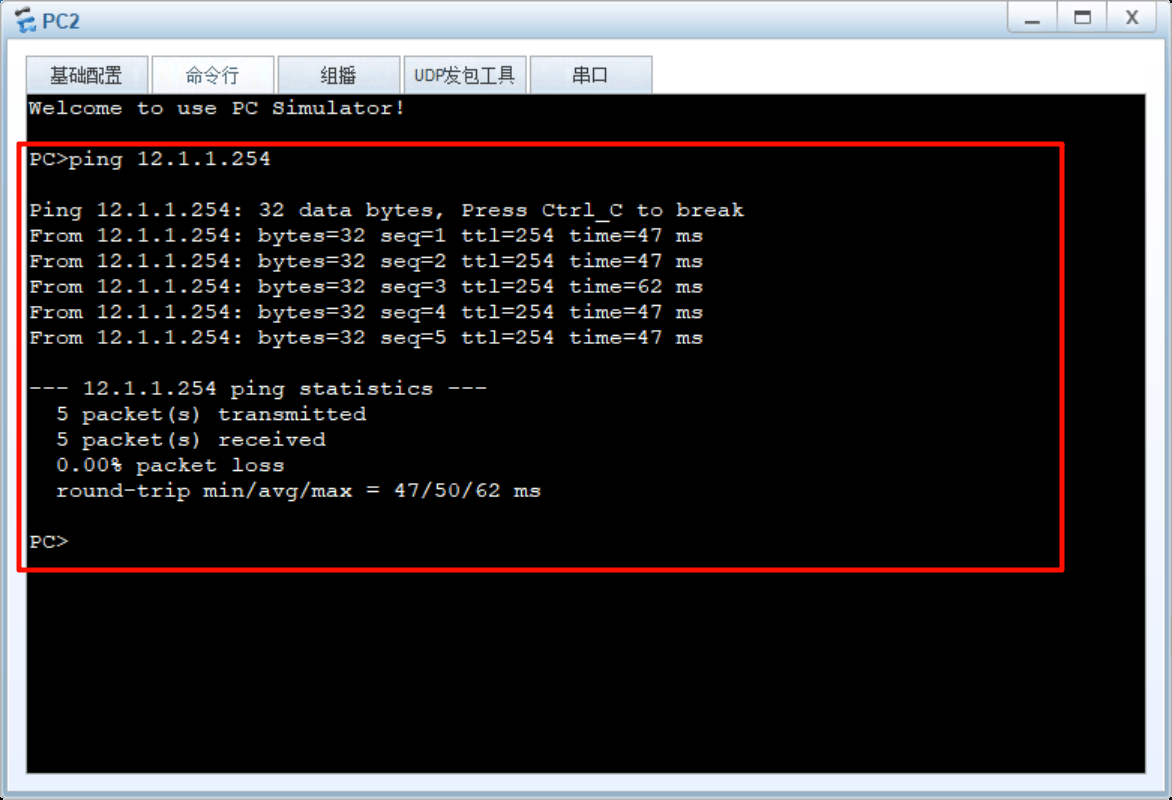
使用PC2去ping12.1.1.254,通了
NAPT 在接口上删除上述动态NAT配置
1 2 3 4 5 6 7 8 9 [Huawei-GigabitEthernet0/0/1]undo nat outbound 2000 address-group 1 no-pat [Huawei-GigabitEthernet0/0/1]dis this [V200R003C00] interface GigabitEthernet0/0/1 ip address 12.1.1.1 255.255.255.0 return [Huawei-GigabitEthernet0/0/1]
在全局删除上述地址池配置
1 2 3 4 5 6 7 8 9 10 11 [Huawei]undo nat address-group 1 [Huawei]dis nat add [Huawei]dis nat address-group NAT Address-Group Information: -------------------------------------- Index Start-address End-address -------------------------------------- -------------------------------------- Total : 0 [Huawei]
而后我们仅为NAT地址池配置1个公网地址,并计划配置NAPT实现多对多地址转换
1 2 3 4 5 6 7 8 9 10 11 [Huawei]nat address-group 1 12.1.1.2 12.1.1.2 [Huawei]dis nat address-group NAT Address-Group Information: -------------------------------------- Index Start-address End-address -------------------------------------- 1 12.1.1.2 12.1.1.2 -------------------------------------- Total : 1 [Huawei]
在接口上配置NAPT
1 2 3 4 5 6 7 8 9 10 [Huawei-GigabitEthernet0/0/1]nat outbound 2000 address-group 1 [Huawei-GigabitEthernet0/0/1]dis this [V200R003C00] interface GigabitEthernet0/0/1 ip address 12.1.1.1 255.255.255.0 nat outbound 2000 address-group 1 return [Huawei-GigabitEthernet0/0/1]
使用PC1和PC2分别ping 12.1.1.254,查看出口路由器的NAT session可以看到转换情况,可以看到不通的源地址使用了不同的Type Code IcmpId;这是因为ICMP报文直接封装在IP之内,没有传输层端口号,这里的 Type Code IcmpId就是一种伪端口号。
1 2 3 4 5 6 7 8 9 10 11 12 13 14 15 16 17 18 19 20 21 22 23 24 25 26 27 28 29 [Huawei]dis nat session all NAT Session Table Information: Protocol : ICMP(1) SrcAddr Vpn : 192.168.1.1 DestAddr Vpn : 12.1.1.254 Type Code IcmpId : 0 8 61812 NAT-Info New SrcAddr : 12.1.1.2 New DestAddr : ---- New IcmpId : 10261 Protocol : ICMP(1) SrcAddr Vpn : 192.168.1.1 DestAddr Vpn : 12.1.1.254 Type Code IcmpId : 0 8 61811 NAT-Info New SrcAddr : 12.1.1.2 New DestAddr : ---- New IcmpId : 10260 Protocol : ICMP(1) SrcAddr Vpn : 192.168.1.1 DestAddr Vpn : 12.1.1.254 Type Code IcmpId : 0 8 61810 NAT-Info New SrcAddr : 12.1.1.2 New DestAddr : ---- New IcmpId : 10259
Easy IP Easy IP:直接用我的出口IP地址去上网
在接口上删除上述动态NAPT配置
1 2 3 4 5 6 7 8 9 [Huawei-GigabitEthernet0/0/1]undo nat outbound 2000 address-group 1 [Huawei-GigabitEthernet0/0/1]dis this [V200R003C00] interface GigabitEthernet0/0/1 ip address 12.1.1.1 255.255.255.0 return [Huawei-GigabitEthernet0/0/1]
在全局删除地址池配置
1 2 3 4 5 6 7 8 9 10 11 [Huawei]undo nat address-group 1 [Huawei]dis nat add [Huawei]dis nat address-group 1 NAT Address-Group Information: -------------------------------------- Index Start-address End-address -------------------------------------- -------------------------------------- Total : 0 [Huawei]
在接口上配置Easy IP ,匹配ACL的源地址都将转换为出口IP地址访问互联网
1 2 3 4 5 6 7 8 9 10 11 [Huawei]int GigabitEthernet 0/0/1 [Huawei-GigabitEthernet0/0/1]nat outbound 2000 [Huawei-GigabitEthernet0/0/1]dis this [V200R003C00] interface GigabitEthernet0/0/1 ip address 12.1.1.1 255.255.255.0 nat outbound 2000 return [Huawei-GigabitEthernet0/0/1]
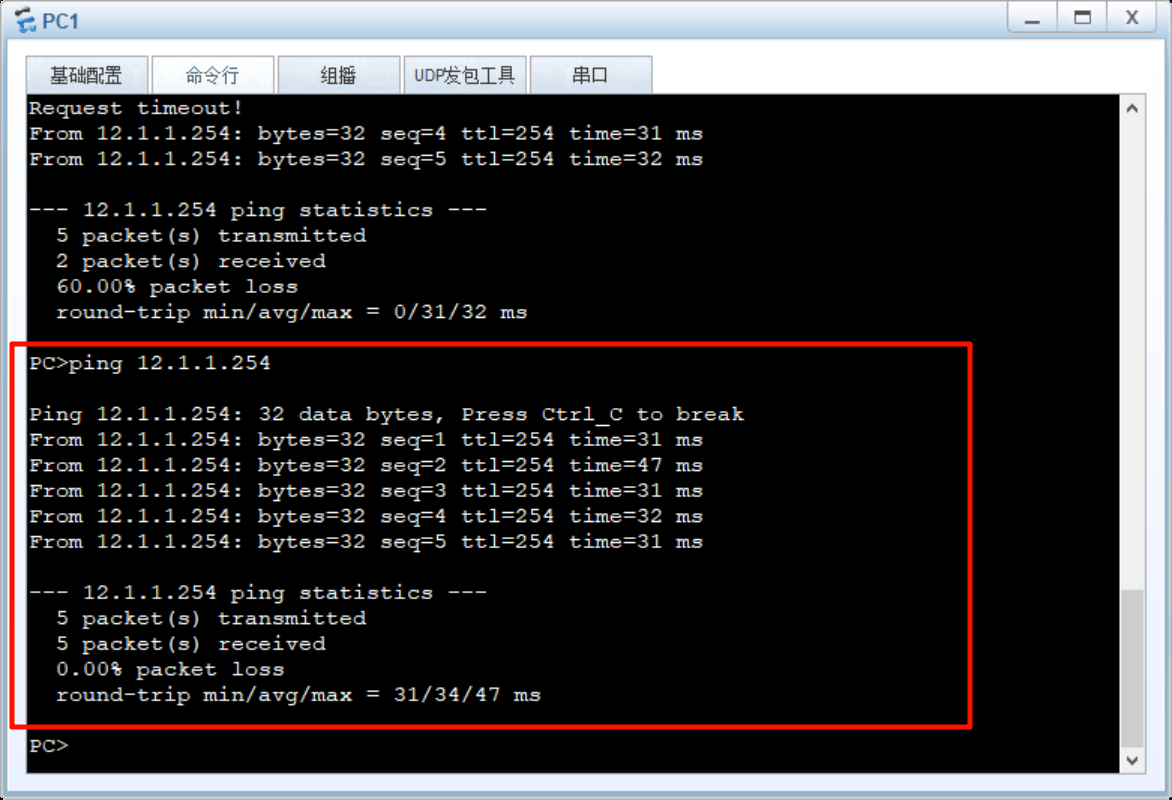
PC去ping 12.1.1.254测试:联通
NAT Server/端口映射 假设PC2是一台服务器,需要进行端口映射至公网提供服务
在接口上删除上述Easy IP配置
1
2
3
4
5
6
7
8
9
[Huawei-GigabitEthernet0/0/1]undo nat outbound 2000 [Huawei-GigabitEthernet0/0/1]dis this [V200R003C00] interface GigabitEthernet0/0/1 ip address 12.1.1.1 255.255.255.0 return [Huawei-GigabitEthernet0/0/1]
在R1上配置NAT Server将内网PC2即192.168.1.10的80端口映射到公有地址12.1.1.1的80端口。
1
2
3
4
5
6
7
8
9
10
[Huawei-GigabitEthernet0/0/1]nat server protocol tcp global 12.1.1.2 80 inside 192.168.1.2 80 [Huawei-GigabitEthernet0/0/1]dis this [V200R003C00] interface GigabitEthernet0/0/1 ip address 12.1.1.1 255.255.255.0 nat server protocol tcp global 12.1.1.2 www inside 192.168.1.2 www return [Huawei-GigabitEthernet0/0/1]
此时在互联网访问12.1.1.2:80时,会默认转换访问至内网的192.168.1.2:80,实现端口映射的转换